
What players say
Creative Fox Stylist Game provides a relaxing and imaginative experience with a wide range of fur patterns, eye colors, ears, tails, clothes, and backgrounds. The interface is intuitive, making it easy for all ages to create unique fox designs. The ability to save and share creations adds social value. A perfect choice for a creative break.
About this game
Game Introduction
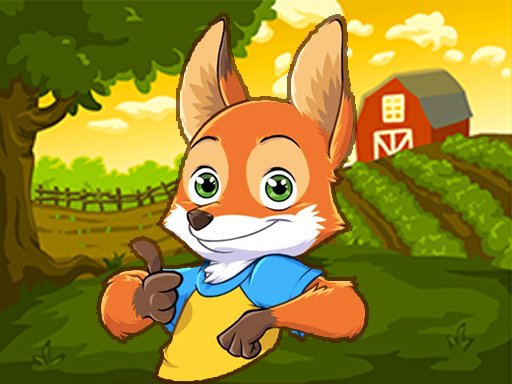
This online styling activity invites players to design a unique fox character from a wide selection of visual options. The core objective is to mix and match different fur patterns, eye colors, ear shapes, face expressions, tail styles, and snout designs to create a personalized look. Players can also add clothing items and accessories, then choose a background such as a winter landscape, a farm scene, or a nature view to complete the presentation. The experience is entirely creative and free of any competitive pressure, making it suitable for children and adults alike. What sets this game apart is the breadth of customization available in a simple, intuitive interface, allowing for countless combinations without any time limits or scoring. It is a relaxing, imaginative pastime that encourages artistic expression through character design.
How to Play
Players begin by selecting a fur pattern for the fox from the available options. Next, they choose eye colors, ear styles, facial expressions, tail shapes, and snout types to refine the character's appearance. After the face and body are styled, the clothing and accessories menu opens, offering various outfits and decorative items. Finally, a background is selected to set the scene. All choices are made by clicking or tapping on the desired option, and players can freely change any element at any time to experiment with different looks. The interface is designed to be straightforward, so no prior experience is needed to start creating.
Game Features
The game includes a variety of fur patterns, eye colors, ear styles, face expressions, tails, and snouts for detailed character customization. A selection of clothes and accessories allows for further personalization. Multiple background scenes, such as winter lands, farm views, and nature scenes, are available to complete each creation. The activity is family-friendly and designed to be accessible to all age groups. Players can save or share their finished designs with friends, encouraging social interaction and inspiration.
Tips for Success
Try combining different fur patterns with contrasting eye colors for a striking appearance. Matching clothing tones to the background theme can create a harmonious look. Do not hesitate to use bright or unusual color combinations, as creativity is the main goal. Sharing completed designs with others can provide new ideas and motivation. The most important tip is to enjoy the process of experimentation and have fun with each unique creation.






Player Comments
Sign in to comment
You must be logged in before posting a review or rating.
No account? Create one
No comments yet. Be the first to comment!