What players say
Blocky Arena Clash 3D Pixel delivers engaging multiplayer action in a colorful blocky world. The multiple game modes keep things fresh, and the AI opponents provide good practice. Controls are simple to learn, making it accessible for all ages. The pixel art style is delightful and runs smoothly on most devices. A solid choice for casual gaming sessions.
About this game
Game Introduction
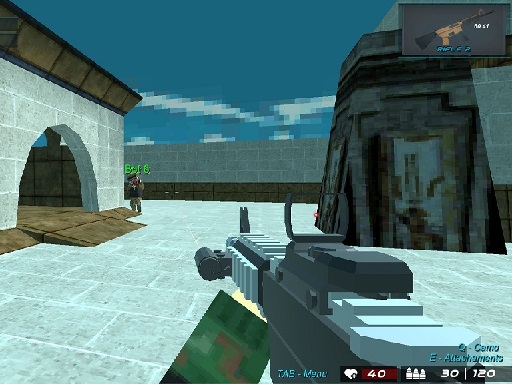
Blocky Arena Clash 3D Pixel is a fast-paced multiplayer action game set in a vibrant blocky world. Players engage in arena-style matches against AI opponents or other players online. The charming pixel art style creates a family-friendly atmosphere suitable for all ages. The core objective is to outscore opponents through eliminations and objective-based gameplay across various modes.
How to Play
Players select a game mode from the main menu. In multiplayer, they can team up with friends or join random matches. Controls are intuitive, allowing movement and aiming with touch or keyboard inputs. Each mode has unique goals: in Survival, stay active as long as possible; in Team Deathmatch and Deathmatch, achieve the highest score. For offline play, players progress through levels with increasing difficulty. Collecting power-ups and health packs helps maintain an advantage.
Game Features
Features include multiple game modes such as Survival, Team Deathmatch, and Deathmatch. The game offers both online multiplayer and offline play with numerous levels. AI opponents with different behaviors provide varied challenges. The 3D pixel art style is visually appealing and accessible. Power-ups and health packs add strategic depth. Controls are easy to learn, making the game suitable for all skill levels.
Tips for Success
Practice regularly to improve aim and movement. Learn the unique objectives of each mode to prioritize actions. Use cover effectively to avoid incoming attacks. Collect power-ups and health packs whenever possible to stay in the match. In team modes, coordinate with teammates for better results. Adapt your strategy based on the opponent AI behavior. Stay aware of your surroundings to avoid being surprised.